
How to build a useful company asset register
A practical approach to consistent names, asset identification and responsibility.
Practical guideCompany equipment tracking
Know what you own. Who’s using it. And how it changed hands. Bring equipment, people and history together in one clear web application.
The application is currently available in Czech.
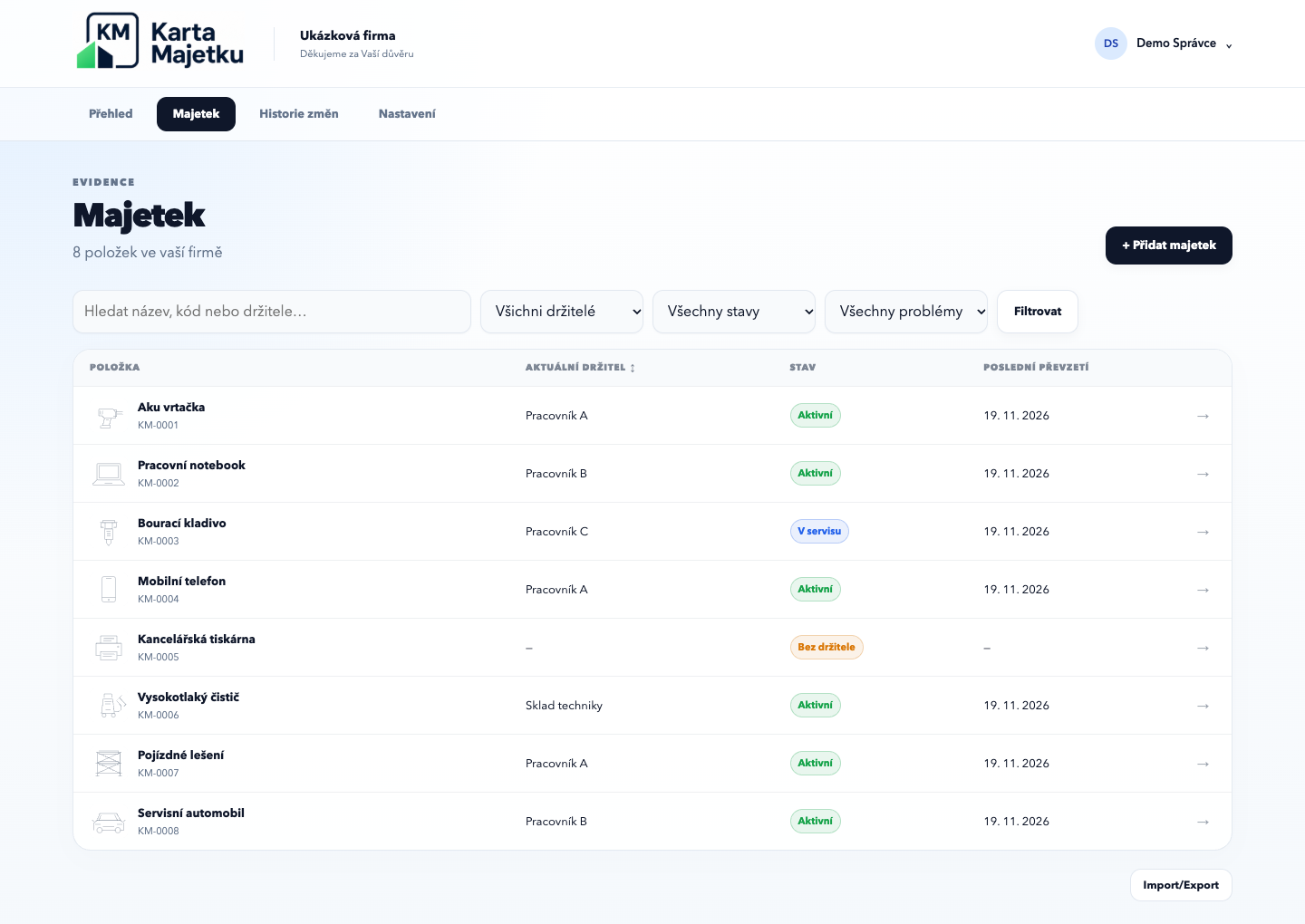
Every item in one place
A clear view of current holders
Handovers with a QR code
Less chasing information
A spreadsheet tells you what you bought. Day-to-day work also needs a clear picture of where equipment is and what is happening to it.
How asset tracking worksOne record connects identification, status, photos and documents.
See the current holder or warehouse on each record.
History records who received an item and when.
Features
Keep names, internal codes, manufacturers, serial numbers, values and statuses together. Search for an asset and see who holds it or which warehouse it is in.
Learn more: asset trackingA QR label opens a limited asset page on a phone. The recipient confirms receipt using a code sent by email.
Learn more: qr handoversPrevious and new holders, the handover time, confirmation method and notes stay with the item.
Learn more: asset historyAttach photos and documents, report an issue and track its resolution without a separate list.
Learn more: documents and issuesAt your desk and in the field
Administrators manage the register in a browser. Colleagues open the QR page beside the equipment and confirm receipt without an administrator account.
Explore QR handovers
Who it’s for
Tools and equipment move between people, warehouses and jobs. Track the holder and handovers of individual items.
Assign laptops, phones and other equipment to people. Keep documents and serial numbers with the record.
Start with a consistent physical asset register and distinguish employee equipment from warehouse stock.
Getting started
Complete registration and verify your email with a code. This creates a separate company and its administrator.
Create a record or upload a CSV file. Add identification details and download a QR label.
The recipient opens the QR page and confirms receipt by email. The holder and history stay with the asset.
Security
Administrator access and the public QR page have different scopes. Share the information a recipient needs to receive equipment.
Read about securityPermissions and database rules scope ordinary access to the relevant company.
Registration and QR receipt use email verification. Administrators can enable two-factor authentication.
The QR page does not expose internal history, holders or documents.
FAQ
A web application for tracking physical company equipment. It connects asset records, current holders, warehouses, QR handovers and history. It is not an investment management or accounting depreciation tool.
No. Signed-in administrators manage the company register. Equipment recipients can open a QR page and confirm receipt using an email code, without an administrator account.
Yes. The responsive interface works in a web browser. QR receipt also requires a camera and access to email.
Yes, using a CSV file matching the application’s export structure. Import adds new items without overwriting existing records. Photos, documents and handover history are not part of CSV.
Yes. A company can have multiple administrators within its plan limits. An equipment holder and an administrator with access to company records are separate roles.
Plans are based on active asset and administrator counts. Check the current offer and terms in the application; our Pricing page explains the model.
Resources
A practical approach to consistent names, asset identification and responsibility.
Practical guide
Choose label placement, test readability and understand what a QR page exposes.
Practical guide
Prepare a list and compare it with physical equipment, with a clear distinction from statutory accounting inventory.
Practical guideKARTA MAJETKU
Create your company account and start with your first asset record.